Saturday, March 22, 2008

Windows Vista Service Pack 1

I recently installed Windows Vista Service Pack 1 (SP1) on several different computers; most installations went very smoothly; however, I had issues on two computers.

The first issue occurred on a Dell laptop, which required several drivers updates before SP1 would appear in the Windows Update download list due to known driver compatibility issues. Manually updating drivers is only a minor nuisance and was expected. Once the drivers were updated the installation was seamless and the performance increase on the laptop is noticeable; the laptop boots in approximately half the time and the wireless networking now connects much faster. The wireless network now also reconnects without constant user intervention (an annoying problem prior to SP1).

The installation of SP1 on a Windows Vista Ultimate Edition (a Media Center PC I have connected to my television) was another story all together. Initial installation of SP1 appeared to work without a hitch; however, problems began as soon as I went to watch a DVD... you could sort of see the DVD play, but the entire display was covered by patches of psychedelic colors. Clearly there was an issue with my current configuration and SP1. The strange part was that normal and recorded TV functioned without issue. Based on past experience, I determined that it was most likely a driver issue, so I began the tedious process of narrowing down the issue. Initially I thought the issue was caused by an SP1 incompatibility with DVD-ROM driver, so I downloaded the latest drivers and firmware updates and systematically applied them one at a time, rebooted and retested the issue. Unfortunately, this did not resolve the spinning kaleidoscope of color. So I continued to upgrade one driver at a time until I was able to resolve the issue. In the end it turns out Windows Update installed a new video card driver for the NVIDIA video card at the same time it installed SP1. Reinstalling the previous driver resolved the issue.

Just went I thought everything was working on my Media Center PC, Windows kindly informed my I needed to reactivate. Normally, activation is a fast, seamless process; however, for some reason Windows would not allow me to activate online and to make matters worse, each time I tried to activate Windows the system removed one day from the number of days remaining to activate. Ultimately, I had to use the phone activation process, which is probably the least user friendly solution available. For anyone who hasn't been through the phone activation process, you don't ever want to! It involves reading nine groups of six digit numbers (for a total of fifty-four numerals) to a voice response system. After reading the numbers to the automated system twice, I was transferred to a human, where I then had to read the numbers again. Reading 162 numbers over the phone is not fun and does not make me feel like a valued customer. Who ever designed the phone activation process should be fired.

In the end, I was able to reactivate Windows and resolve all of the driver issues and other issues caused by SP1.

Even with all the hassle, I think it was well worth the effort, especially on laptops, where the improvements are the most dramatic.

Sunday, March 16, 2008

Get Microsoft Office 2007 Ultimate Edition for only $59.95

Microsoft has a great promotion going for college students; get Microsoft Office Ultimate 2007 for just $59.95, but you will have to hurry the offer ends on April 1, 2008.

"Office Ultimate 2007's brand new features and fresh look will help you organize and get all your work done in the blink of an eye."

Anti-Spam Technology

Paul Graham has posted a great article, "A Plan for Spam" about combating spam with naive Bayesian filtering. He has also posted an updated article, "Better Bayesian Filtering", which improves on the ideas from the original article.

Marco Minerva provides, "Graham Algorithm", an open source C# implementation of the algorithm from the articles.

Monday, December 24, 2007

Dream. Build. Play. 2007

Microsoft is holding a competition called "Dream. Build. Play." for aspiring game developers. The theme is artificial intelligence. Prizes includes the following:
  • Invitation to show your entry at GDC 2008
  • $3,000 (USD) stipend per team
  • One-year subscription to the XNA Creators Club for each team member
  • Interview for an internship at Microsoft Research, Lionhead Studios or Rare Ltd in the UK for each team member

The deadline is January 27, 2008.

XNA Game Studio 2.0

For anyone who hasn't heard, Microsoft has released XNA Game Studio 2.0, which provides a game development framework for Windows and Xbox 360 (through the Creator's Club).

Some useful links:

Great Customer Service

Last Friday when I was leaving work I noticed the front left tire on my truck had picked up a screw and was almost flat so I mounted the spare tire and drove to Belle Tire to have the hole patched.

When I arrived, I expected a long wait given the number of vehicles in the parking lot, but to my surprise I was immediately greeted by one of the employees, who collected some basic information about my vehicle and my tire problem.

Within a matter of minutes they had my tire patched and remounted. When I went to pay for the service the guy said, "Merry Christmas, you're all set." What a nice surprise! How many companies do you know that are willing to provide top-notch service and waive the fee.

I have bought tires from Belle Tire in the past and the service was great, but Belle Tire definately went above-and-beyond this time. I can't say enough good things about Belle Tire, they were fast, friendly, and courteous. I will definately give them my business when it is time to purchase my next set of tires.

Thursday, November 01, 2007

Install Multiple IEs in Parallel

Have you ever wanted to install multiple version of Internet Explorer in parallel for rapid Web development, testing, and debugging? If so, you will definately want to checkout Multiple IEs.

Multiple IEs is a free product from TredoSoft that installs old versions of Internet Explorer while retaining existing versions through IE7. Since the process involves several registry hacks and other tricks in order to get the Internet Explorers to play nice, I would advise a full system backup prior to installation.

I was able to successfully run the installer inside a Virtual PC image of Windows XP Professional SP2. This gave me the option to delete the Undo Disk incase something went wrong.

Multiple IEs installs the following versions of Internet Explorer:
  • Internet Explorer 6.0
  • Internet Explorer 5.5
  • Internet Explorer 5.01
  • Internet Explorer 4.01
  • Internet Explorer 3.0

The documentation says you can use this with the standalone version of Internet Explorer 7.0, but I recommend upgrading to Internet Explorer 7.0 prior to installation of Multiple IEs.

Friday, October 26, 2007

The Open Directory Project is Dead

The Open Directory Project (ODP) is dead. The Open Directory Project website frequently breaks, large sections of the site are unavailable for days or weeks at a time, moderators no longer review or approve new listings, a substantial number of links are now broken (obsolete). This seems to be a common issue with Open Source projects, contributors and moderators lose interest and move on to new more active projects.

Monday, October 15, 2007

Change Remote Desktop Port

Warning: If you use Registry Editor incorrectly, you may cause serious problems that may require you to reinstall your operating system. Use Registry Editor at your own risk.
  1. Start Registry Editor (regedit.exe)
  2. Locate and then click the following registry subkey:

    HKEY_LOCAL_MACHINE\System\CurrentControlSet\Control\TerminalServer\WinStations\RDP-Tcp\PortNumber

  3. On the Edit menu, click Modify, and then click Decimal.
  4. Type the new port number, and then click OK.
  5. Quit Registry Editor.

Note: When you try to connect to this computer by using the Remote Desktop connection, you must type the new port. The format is "IP Address:Port"

Saturday, October 13, 2007

Jungle Disk

I've been watching the Amazon Web Services since their launch.

Amazon S3 (Simple Storage Service) finally appears to be gaining some momentum as more and more application providers write compatible application. The most popular Amazon Web Service is definitely the S3 service.

Junge Disk, a company I recently stumbled across, provides an application which creates a mapped drive in Windows, Linux, and Mac OS X. The mapped drive allows users to copy or backup files from their local computer directly to Amazon S3 (Simple Storage Service). This is a great example of an easy to use consumer oriented service; however, the pricing model, which factors transfer, in addition to storage, may be complex for consumers to understand.

It will be interesting to see how successful Amazon is getting developers and consumers to adopt their new services.

Tuesday, September 18, 2007

Windows Live Writer

I highly recommend Windows Live Writer. It is a brand new product from Microsoft. Windows Live Writer is a powerful tool, which helps you quickly and easily compose Blog posts. Windows Live Writer includes real-time spell checking, as well as, a rich and easy to use WYSIWYG (what you see is what you get) editor. Posts are composed using the actual style of your blog, which makes layout a breeze. Best of all Windows Live Writer is free!

Here are some of the key features according to Microsoft:

Compatible with your blog service
Writer can publish to Windows Live Spaces, SharePoint, WordPress, Blogger, LiveJournal, TypePad, Moveable Type, Community Server, and many other weblog services.

WYSIWYG editing
Writer knows your blog's visual theme. So you can see exactly what your posts will look like as you write them, before you publish. No more wasting time previewing your posts online.

Rich media publishing
Writer makes publishing rich media as easy as sending e-mail. Insert and customize photos, videos, maps, tags, and lots of other cool content—then click the “Publish” button. It’s that easy.

Powerful editing features
Creating compelling blog posts is much easier with the ability to insert and edit tables, check spelling as you type, and format and hyperlink content at your fingertips.

Offline editing
Now you can blog anytime, from anywhere. Writer synchronizes drafts on your blog with changes you make when you're offline, so you don't have to worry about reconciling different versions.

Monday, September 03, 2007

Microsoft Surface

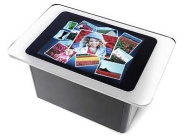
For anyone who hasn't seen Microsoft Surface in action, I strongly recommend checking on the videos on the website. Microsoft Surface is a revolutionary new human-machine-interface. it allows people to directly interact with a computer through hand gestures and by placing objects on the computing "surface."

Monday, August 20, 2007

Blissful Diverions

If you get a chance, I strongly recommend checking out Blissful Diversions. There are a number of posts on a variety of different topics.

Friday, June 15, 2007

Friday, June 01, 2007

Emption

If you haven't already been to Emption, I strongly suggest checking them out. They have over 40,000 items to choose from, including many cool technology products.